
The Paradigm Shift: Why the Hybrid Workplace is a Prime Target
The traditional corporate network perimeter is dead. With the rapid acceleration of the hybrid work model, the boundary between professional and personal digital spaces has blurred. Organizations no longer operate within the secure, monitored confines of a physical office protected by enterprise-grade firewalls and physical access controls. Today, the corporate perimeter is as dispersed as the workforce itself, extending into living rooms, coffee shops, and co-working spaces globally.
This decentralized shift has created a massive, highly fragmented attack surface for cybercriminals. Home networks, personal devices, and public internet connections often lack the robust defenses found in corporate environments. Attackers actively exploit these structural vulnerabilities, targeting remote employees as the weakest link in the organizational security chain. To survive this evolving threat landscape, hybrid workers must adopt a proactive, defensive security posture. This comprehensive guide serves as the ultimate checklist for securing your hybrid workspace, transforming remote employees from potential liabilities into resilient human firewalls.
“In a zero-trust architecture, the location of an employee is irrelevant. Trust must never be assumed based on physical location; it must be continuously verified at the device, network, and identity levels.”
1. Hardening the Home Network Infrastructure
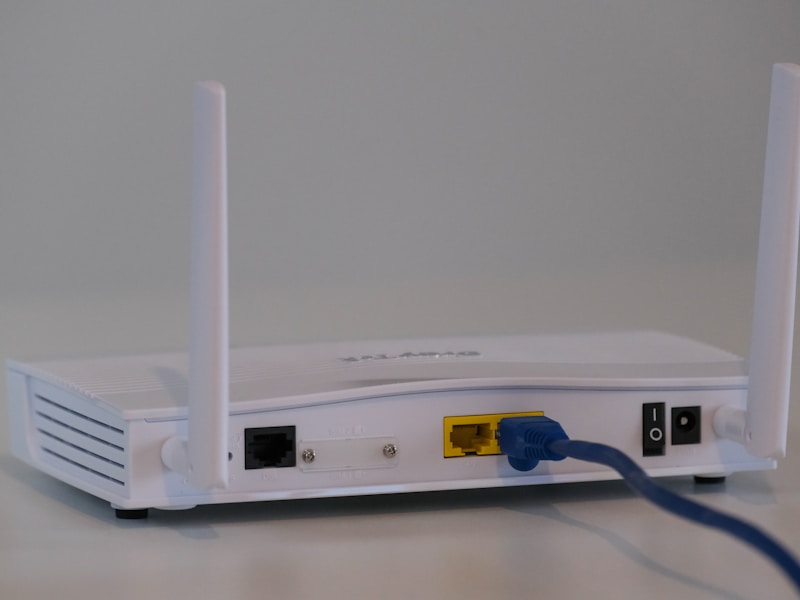
Your home network is the gateway to your professional activities. If your home router is compromised, malicious actors can intercept data packets, launch man-in-the-middle (MitM) attacks, or compromise connected corporate assets.
Upgrade Router Admin Credentials and SSIDs
Many remote workers leave their routers configured with default settings. Cybercriminals maintain extensive databases of default admin usernames and passwords for popular consumer router brands. Change these immediately to a complex, unique password. Additionally, change the default Service Set Identifier (SSID) to a non-descript name that does not reveal your identity, location, or router model.
Implement WPA3 Encryption
Ensure your wireless network is protected by the strongest available encryption standard. While WPA2 was the industry standard for over a decade, it is vulnerable to various exploits, such as key reinstallation attacks (KRACK). Upgrade your router to support WPA3 Personal, which provides superior protection against offline dictionary attacks and enhances overall data encryption.
Isolate Work Traffic via Guest Networks
The average modern home is filled with Internet of Things (IoT) devices, such as smart TVs, smart plugs, baby monitors, and connected appliances. These devices are notorious for poor security standards, lack of software updates, and unpatched vulnerabilities. If an attacker compromises a vulnerable smart light bulb on your main network, they can easily pivot to your corporate laptop. To mitigate this risk:
- Access your router’s administrative dashboard and enable a “Guest Network” or “Secondary SSID.”
- Connect all personal devices and IoT hardware to the guest network.
- Reserve the primary, secure network exclusively for your corporate devices.
2. Identity and Access Management (IAM): The Foundations of Trust
Compromised credentials remain the primary vector for enterprise data breaches. Relying on simple passwords or repetitive phrases is a guarantee of eventual system compromise.
Deploy a Zero-Trust Password Strategy
Employees should never reuse passwords across multiple platforms. If a single personal account (such as a shopping site) is breached, attackers will use automated tools to test those credentials against corporate databases, VPN portals, and email clients. Use an enterprise-grade password manager to generate, store, and auto-fill highly complex, randomized passwords (minimum of 16 characters, including mixed-case letters, numbers, and special symbols).
Enforce Multi-Factor Authentication (MFA)
Passwords alone are no longer sufficient. Multi-Factor Authentication adds a critical layer of defense by requiring two or more verification factors to gain access. However, not all MFA is created equal:
- Avoid SMS-Based MFA: Cybercriminals can easily bypass SMS verification via SIM-swapping attacks or social engineering of telecommunication providers.
- Use Authenticator Apps: Time-based One-Time Passwords (TOTP) generated by secure applications (such as Microsoft Authenticator, Google Authenticator, or Duo) provide significantly stronger security.
- Leverage Hardware Security Keys: For high-risk environments, physical security tokens complying with FIDO2 standards (such as YubiKeys) offer the ultimate defense against sophisticated phishing campaigns.
3. Device Hardening and Software Hygiene
Your work device is an endpoint that must be hardened against both physical and logical threats. Below are the critical practices for maintaining machine integrity.
Enable Full Disk Encryption (FDE)
If your laptop is stolen from a cafe, vehicle, or your home, a thief can easily extract sensitive corporate data directly from the hard drive—even without your login password. Full disk encryption resolves this vulnerability. Ensure that BitLocker (for Windows) or FileVault (for macOS) is enabled and configured with strong boot-up authentication PINs.
Maintain Strict Patch Management
Software vulnerabilities are discovered daily. Software vendors routinely release patches to address these security holes. If you delay updates, you leave an open window for exploit kits. Configure your operating systems, web browsers, and productivity applications to download and install updates automatically. Pay close attention to zero-day vulnerabilities, which require immediate remediation.
Deactivate Vulnerable Legacy Services
Minimize your device’s attack surface by turning off services and features that are not actively required for your daily tasks. Disable auto-run features, file-sharing protocols (like SMB when off-network), and close unnecessary open ports. Keep Bluetooth disabled when not actively pairing with trusted devices to prevent unauthorized localized exploits.

4. Secure Connectivity: Navigating Public Networks and Travel
Working from a coffee shop, hotel lobby, or airport offers flexibility, but it exposes your data to hostile network environments. Public Wi-Fi networks are hotbeds for active network spoofing and sniffing attacks.
Always Use an Enterprise Virtual Private Network (VPN)
When working away from your trusted home network, never transmit data without an active VPN connection. A VPN encrypts your entire internet traffic payload, creating a secure tunnel between your device and the target server. Even if an attacker controls the public Wi-Fi access point, the encrypted tunnel prevents them from reading your emails, accessing your credentials, or viewing your browsing history.
Beware of “Evil Twin” Attacks
Cybercriminals often deploy rogue wireless access points with names identical or very similar to legitimate public hotspots (e.g., “Starbucks_Guest_Secure” vs. “Starbucks_Guest”). Ensure you verify the exact network name with the establishment’s staff before connecting. Alternatively, bypass public Wi-Fi entirely by utilizing a secure personal cellular hotspot from your smartphone.
5. Human Firewalls: Mitigating Phishing and Social Engineering
No amount of security software can protect an organization if an employee falls victim to human manipulation. Attackers continuously refine their psychological manipulation tactics to exploit the isolation of remote workers.
Identifying Sophisticated Phishing Scenarios
Modern phishing is highly targeted (Spear Phishing). Threat actors research employees on professional networks like LinkedIn to construct highly convincing, tailored emails. Be particularly cautious of:
- Urgency and Pressure: Requests demanding immediate action, wire transfers, or gift card purchases, often claiming to originate from executives or HR directors.
- Mismatched Domains: Always inspect sender email headers closely. An email from “[email protected]” is highly likely to be fraudulent, despite realistic branding.
- Malicious Attachments: Never download macro-enabled documents, ZIP files, or executable files from unverified senders.
Establishing Verification Channels
If you receive an unusual or urgent request from a supervisor, vendor, or colleague, do not respond directly to the email or use any phone numbers listed in the message body. Instead, use an out-of-band communication channel (such as a direct Slack/Teams message or a trusted corporate phone number) to independently verify the authenticity of the request before proceeding.
Summary: Cultivating a Resilient Cyber Mindset
Securing the hybrid workplace is not a one-time setup; it is an ongoing daily practice. By implementing this comprehensive checklist—hardening your home router, enforcing rigorous password security, utilizing secure connection protocols, and maintaining hyper-vigilance against psychological manipulation—you significantly reduce the likelihood of a devastating data breach. Remember, you are the gatekeeper of your digital workspace. Treat your remote office with the same level of security consciousness as a high-security corporate data center.